Choosing the right font is important for your website. Fonts help set the mood. They can make your site look friendly or serious. Google Fonts offers many options. This guide helps you choose the best fonts.
What Are Google Fonts?
Google Fonts is a free service. It provides many fonts for websites. You can find over a thousand fonts. This makes it easy to find something you like.
Why Use Google Fonts?
Google Fonts has many benefits:
- Free to use.
- Easy to add to your site.
- Many styles available.
- Fonts load quickly.
- Compatible with all devices.
Steps to Choose Web Fonts
Follow these steps to choose the right font from Google Fonts:
1. Visit Google Fonts
Start by going to fonts.google.com. Here, you will see many fonts. You can browse through them easily.
2. Explore Font Styles
Look at the different styles. You can see categories like:
- Serif
- Sans-serif
- Display
- Handwriting
Try to find one that fits your website.
3. Preview Fonts
When you find a font you like, click on it. You will see a preview. This helps you see how the font looks. You can also type your text to see it in the font.
4. Check Font Weight And Style
Fonts have different weights and styles. You can choose bold, italic, or regular. Pick what fits your design. Mixing different weights can create a nice look.
5. Consider Readability
Your font should be easy to read. Avoid very fancy fonts for long texts. Keep it simple. Use clear fonts for better readability.
Font Pairing Tips
Using more than one font can be good. But be careful. Here are some tips for font pairing:
- Limit your fonts to two or three.
- Choose fonts with different styles.
- Use contrast to create interest.
- Make sure they match in personality.
Using Google Fonts on Your Website
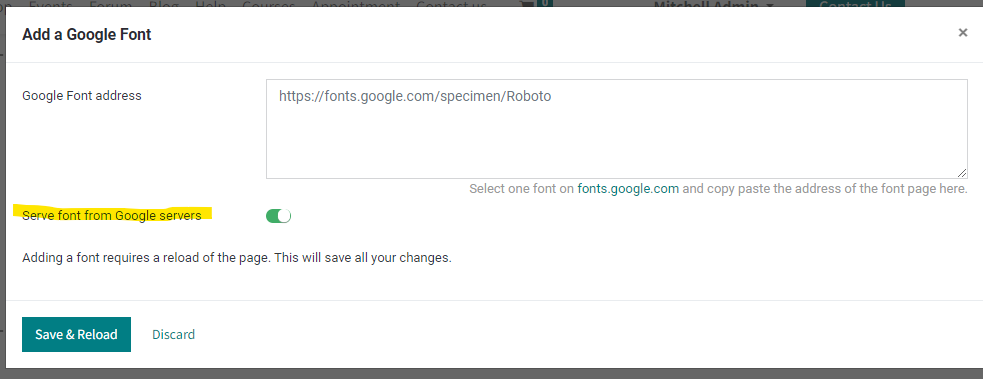
Once you choose a font, you need to add it to your site. Here’s how:
1. Select The Font
Click on the font you want. Then click “Select this style.”
2. Copy The Embed Link
After selecting, click the “View selected families” icon. You will see an embed link. Copy this link.
3. Add The Link To Your Html
Open your HTML file. Paste the link inside the section. This will load the font on your site.
4. Use Css To Apply The Font
In your CSS file, use the font. For example:
body {
    font-family: 'Your Font Name', sans-serif;
}
This code will apply the font to the entire page.
Common Mistakes to Avoid
Here are some mistakes to avoid when choosing fonts:
- Using too many fonts.
- Choosing hard-to-read fonts.
- Not testing on different devices.
- Ignoring font sizes.
Testing Your Fonts
After choosing your fonts, test them. Check how they look on different screens. Make sure they are readable on mobile and desktop.
Final Thoughts
Choosing web fonts from Google Fonts is simple. Follow the steps in this guide. Explore different styles and find what works for you. Remember to keep readability in mind. Good luck with your font choices!
Frequently Asked Questions
How To Choose A Web Font?
Choose a web font by considering readability, style, and purpose. Limit font varieties to two or three for cohesion. Ensure compatibility across devices and browsers. Test font sizes and weights for optimal legibility. Use tools like Google Fonts for a diverse selection and easy integration.
How To Use A Font From Google Fonts In Html?
To use a font from Google Fonts in HTML, follow these steps: 1. Visit fonts.google.com and select a font style. 2. Click “Select this style” and then the “View selected families” icon. 3. Copy the provided link. 4. Paste the link into the `
` section of your HTML document.How Do You Identify A Web Font?
To identify a web font, right-click on the text and select “Inspect. ” In the Elements panel, go to the Computed tab. Search for “font-family” to find the font name and style used on the webpage. This method reveals the exact font details quickly.
How Do You Change The Font On Google Web?
To change the font on Google web, open your browser’s menu and select Settings. Click on Appearance, then choose Customize fonts. Use the drop-down menus to select your desired fonts for Standard, Serif, Sans-serif, and Fixed-width styles. Save your changes to apply the new fonts.