Tools And Software
Essential Tools
The clone stamp tool is vital for removing imperfections. It allows users to copy pixels from one area to another. Healing brush is another key tool. It blends colors and textures seamlessly. The dodge and burn tools adjust lighting in specific areas. They help in enhancing shadows and highlights. Layers are fundamental in retouching. They offer flexibility in editing without permanent changes. Masks are also crucial. They allow precise control over which parts of the image are affected.
Retouching Techniques
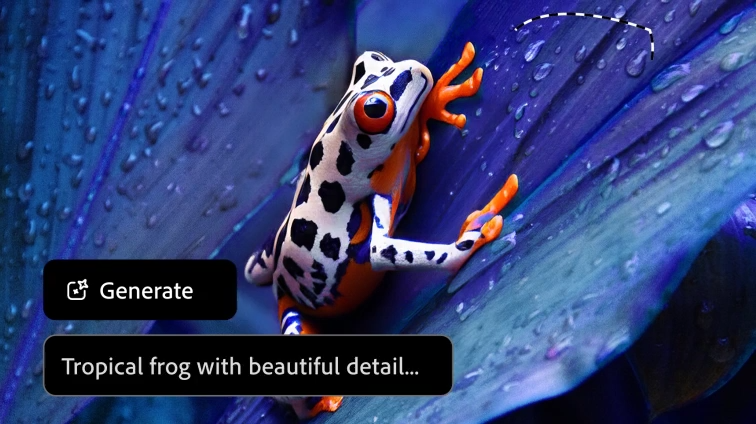
Image retouching techniques can transform ordinary photos into extraordinary works of art. Whether you’re a professional photographer or just someone who loves capturing moments, understanding these techniques can greatly enhance your images. From correcting colors to smoothing skin, these methods can make a significant difference in the final output. Let’s dive into some essential techniques that can elevate your photo editing skills.
Color Correction
Have you ever captured a photo only to find that the colors look off? This is where color correction comes into play. Adjusting colors can make your images look vibrant and true to life. You can tweak the saturation, hue, and brightness to ensure the colors match your vision. Tools like Lightroom and Photoshop offer powerful color correction features. With a few adjustments, your photos can go from dull to dazzling.
Skin Smoothing
When editing portraits, skin smoothing is a game-changer. Nobody wants their skin to look overly airbrushed, but smoothing out blemishes and imperfections can make a photo more flattering. You can use techniques like frequency separation to maintain texture while reducing blemishes. Imagine the confidence boost when you see a picture where your skin looks naturally flawless.
Background Enhancement
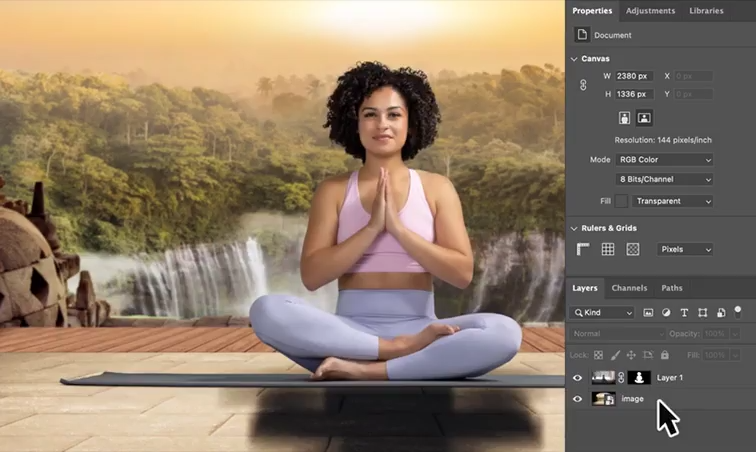
Sometimes the background of a photo can overshadow the main subject. Enhancing the background helps bring focus back to where it belongs. You can adjust the blur or brightness of the background to highlight the subject. This simple tweak can add depth and dimension to your images. Next time you’re editing, ask yourself if the background supports or distracts from your main focus.
Object Removal

Unwanted objects can ruin a perfect shot. Removing them can make a photo cleaner and more professional. Use tools like the clone stamp or healing brush in Photoshop to erase distractions. Practice makes perfect, and soon you’ll be able to remove objects seamlessly. How much cleaner would your favorite photo look without those pesky intruders?
Mastering these retouching techniques can revolutionize your photo editing skills. Each method offers practical ways to enhance your images, making them more visually appealing and impactful. As you experiment with these techniques, you’ll find yourself more satisfied with your creations. Have fun editing, and enjoy the transformation of your photos!
Table of Contents
- Basics of Image Retouching Techniques
- Introduction To Image Retouching