Are you confused about whether to use JPEG or PNG for your images? You’re not alone.
With so many file formats out there, choosing the right one can feel overwhelming. But understanding the differences between JPEG and PNG can make your decision much easier. This knowledge can even improve the quality of your images. Imagine having the power to make your photos look crisp and professional with just a few simple choices.
This article will clear up the confusion and empower you with the knowledge to select the perfect format for your needs. Dive in and discover the secrets that can elevate your images from ordinary to extraordinary!
Credit: 99designs.com
Basics Of File Formats
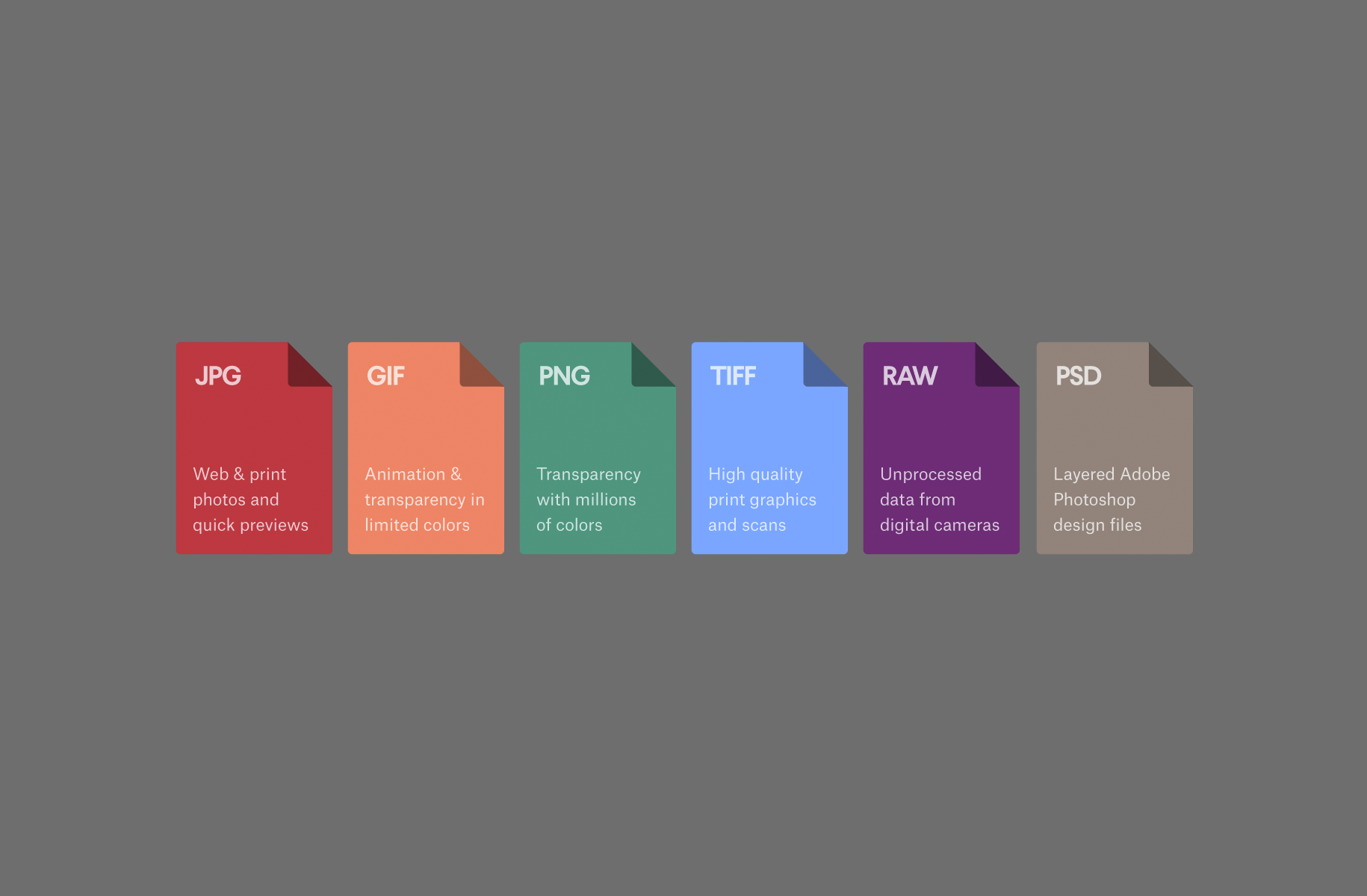
Explore the essentials of file formats with JPEG and PNG. JPEG is ideal for photographs, offering rich colors and details. PNG shines with images needing transparency, ensuring crisp and clear visuals. Understanding these formats enhances your ability to choose the right one for your needs.
Understanding the basics of file formats is essential for anyone dealing with digital images. Whether you’re a designer, photographer, or just someone who loves sharing pictures online, knowing when to use JPEG or PNG can make a big difference. Each format has its own strengths and weaknesses, and choosing the right one can improve the quality of your images and optimize your storage space. ###What Is A File Format?
A file format is the structure or layout of a file that tells your computer how to display, store, or read the data. Think of it like a language your computer uses to understand the content of your file. Different formats serve different purposes, and choosing the right one depends on what you’re trying to achieve. ###Jpeg: The Compressed King
JPEG stands for Joint Photographic Experts Group. It’s known for its ability to compress images, making them smaller in size without losing too much quality. This makes JPEG perfect for photographs where you need to save space, like when you’re uploading pictures to a website. But be cautious. Every time you save a JPEG, it loses some quality. This is called lossy compression. So, if you’re editing and resaving, the image might degrade over time. I learned this the hard way when I noticed my vacation photos looking less vibrant after multiple edits. ###Png: The Detail Defender
PNG, or Portable Network Graphics, is ideal for images that require transparency or a lot of detail. It uses lossless compression, which means you don’t lose any image quality when you save it. This is particularly useful for logos or graphics that need to stay sharp. A PNG file is typically larger than a JPEG. But, if you need your images crisp and clear, especially when there are text and lines involved, PNG is your best friend. ###When To Use Jpeg Vs. Png?
Choosing between JPEG and PNG boils down to your needs. If you’re sharing photos on social media, JPEG might be the way to go due to its smaller file size. But if you’re dealing with images that require transparency, like a logo, PNG would be more suitable. Ask yourself: Do I need transparency or detailed graphics? Or am I prioritizing storage space and faster loading times? Your answer will guide your choice. ###Conclusion: Know Your Needs
Understanding JPEG and PNG formats can significantly impact your work. By knowing the basics of these file formats, you can make informed decisions and use your digital space effectively. Next time you’re about to save an image, remember the strengths and weaknesses of each format. Your images—and your storage space—will thank you.Jpeg Characteristics
JPEG files compress images to save space. These files maintain good quality while reducing size. Perfect for web use and sharing photos.
Understanding file formats is crucial in our digital age, especially when working with images. JPEG, short for Joint Photographic Experts Group, is one of the most common image formats you’ll encounter. Let’s dive into the characteristics that make JPEG unique and popular for various applications. Whether you’re browsing vacation photos or designing a web page, knowing the pros and cons of JPEG can help you make informed decisions. ###Compression Techniques
JPEG uses lossy compression, meaning it reduces file size by discarding some image data. This is achieved through a process called discrete cosine transform, which simplifies the image’s color and brightness information. The result is a smaller file that’s easier to store and share. While some quality is lost, the difference is often negligible, especially if the image doesn’t require high detail. Have you ever noticed how quickly JPEG files upload compared to others? This compression technique is why. It sacrifices a bit of quality for convenience, making it ideal for situations where speed is essential. ###Typical Use Cases
JPEGs are perfect for digital photography. They offer a good balance between image quality and file size, making them suitable for sharing photos online or storing them on a device with limited memory. You’ll find JPEGs used in everything from family photo albums to professional portfolios. Consider your last vacation. You likely snapped dozens of photos, and JPEG allowed you to save and share them without worrying about storage space. This format is also common in web design, where quick loading times are crucial. ###Advantages Of Jpeg
JPEG’s major advantage is its ability to compress images to smaller sizes without significant loss of visual quality. This makes it great for sharing images over the internet or fitting more photos onto your phone or camera. Additionally, JPEG is universally compatible. Almost every device and software can open JPEG files, which means you won’t struggle with compatibility issues. This is a big plus if you’re sending images to friends or clients who might have different systems. ###Limitations Of Jpeg
Despite its benefits, JPEG has limitations. The lossy compression can degrade image quality, especially if the file is saved multiple times. This makes it less suitable for images that require high detail, like medical imaging or professional print work. Have you ever zoomed in on a JPEG and noticed pixelation or blurring? That’s the downside of its compression method. Also, JPEG doesn’t support transparency, limiting its use in graphic design where you might need transparent backgrounds. So, how do you decide when to use JPEG? Consider your needs for image quality versus convenience. Are you okay with a little quality loss for faster upload times? Understanding JPEG characteristics helps you choose wisely.Png Characteristics
PNG, short for Portable Network Graphics, is a versatile image format. It is known for its high-quality image representation. Unlike JPEG, PNG maintains image quality without losing data. This format is widely used in digital graphics due to its unique features.
Lossless Compression
PNG uses lossless compression. This means no data is lost during file saving. Images retain their original quality after editing. This feature makes PNG ideal for detailed graphics.
Transparency Features
One standout feature of PNG is its support for transparency. It can handle images with clear backgrounds. This makes it perfect for logos and web design. Transparent images blend seamlessly with any background.
Common Applications
PNG is commonly used in web graphics. It’s perfect for icons and screenshots. Designers prefer PNG for its clarity. Web developers use it for images that need transparency.
Strengths Of Png
PNG files retain high image quality. They support millions of colors. PNG is excellent for images requiring transparency. It is compatible with most web browsers.
Drawbacks Of Png
PNG files can be large. This affects loading times on websites. They are not ideal for photos. JPEG is better for photos due to its smaller file size. PNG is less suited for print media.
Credit: www.mpb.com
Jpeg Vs Png
JPEG and PNG are popular image formats, each with unique features. JPEG files are ideal for photos with vibrant colors, offering smaller sizes. PNG files suit images needing transparency and sharp details. Choose JPEG for efficiency; opt for PNG when quality matters.
In the digital age, understanding file formats is crucial for anyone dealing with images. Among the most common formats, JPEG and PNG often create a conundrum for users. Both have their unique strengths and weaknesses. Knowing when to use each can enhance your image quality and optimize your file storage. Let’s dive into the comparison of JPEG vs PNG and see which suits your needs best.Quality Comparison
JPEG files are known for their compression capabilities, which can sometimes lead to a loss in quality. If you’ve ever noticed a fuzzy image after uploading it online, it’s likely due to JPEG’s lossy compression. PNG, on the other hand, preserves image quality with lossless compression. This means the image remains sharp and clear, no matter how many times you save it. Ever tried zooming in on a detail and it stayed crisp? That’s PNG at work.File Size Differences
JPEG files are generally smaller, which makes them great for websites where loading speed is essential. They save storage space on your device as well. However, this comes at the cost of losing some detail. PNG files are larger because they retain all the image details. This can be a downside if you’re limited by storage or need faster load times. But if you need high-quality images, the extra file size might be worth it.Suitability For Different Needs
JPEG is ideal for photographs and images with gradients. It’s perfect for social media or any platform where you need to balance quality and speed. Think about your last family vacation photo shared online; JPEG did the job. PNG shines with images that require transparency or have text and sharp edges. It’s perfect for logos, web graphics, and detailed artwork. Ever worked on a presentation and needed a clear, professional logo? PNG is your go-to format. When deciding between JPEG and PNG, ask yourself: What’s more important, quality or file size? Your answer will guide you to the right choice. Understanding these differences not only helps you make informed decisions but also enhances your digital storytelling.Choosing The Right Format
Choosing the right file format is crucial for image quality. Both Jpeg and Png have distinct features. Understanding these can help you decide which suits your needs. Jpeg is known for its compression and small file size. Png offers transparency and lossless quality. Each serves different purposes. So, which should you use? Explore these considerations below.
Considerations For Web Use
Websites need fast loading images. Jpeg files load quickly due to their small size. This format is ideal for photos on blogs and e-commerce sites. Png files are larger but support transparency. This is useful for logos and icons. Choose based on your site’s design needs.
Factors In Print Media
Print quality requires high resolution. Jpeg can lose quality after multiple edits. Png retains image quality better. For brochures and flyers, consider Png. It ensures clear and sharp prints. If file size is a concern, Jpeg may be acceptable for large images.
Guidelines For Graphic Design
Graphic design demands quality and flexibility. Png allows editing without loss of detail. This format is preferred for detailed graphics. Jpeg is suitable for non-editable final drafts. Use Png for images needing layers and effects. For simple, final images, Jpeg works well.
Future Of Image Formats
The world of digital imagery is constantly evolving. As technology advances, the future of image formats looks promising with new possibilities. JPEG and PNG have been the cornerstone of digital media for years, but what does the future hold for these formats? With emerging technologies and shifting trends in digital media, we are on the brink of a new era in image formats.
Emerging Technologies
New technologies are reshaping how we view and use image formats. Consider the impact of artificial intelligence on image compression. AI can optimize images without losing quality. This means faster load times and less storage space. Imagine browsing a website without waiting for heavy images to load.
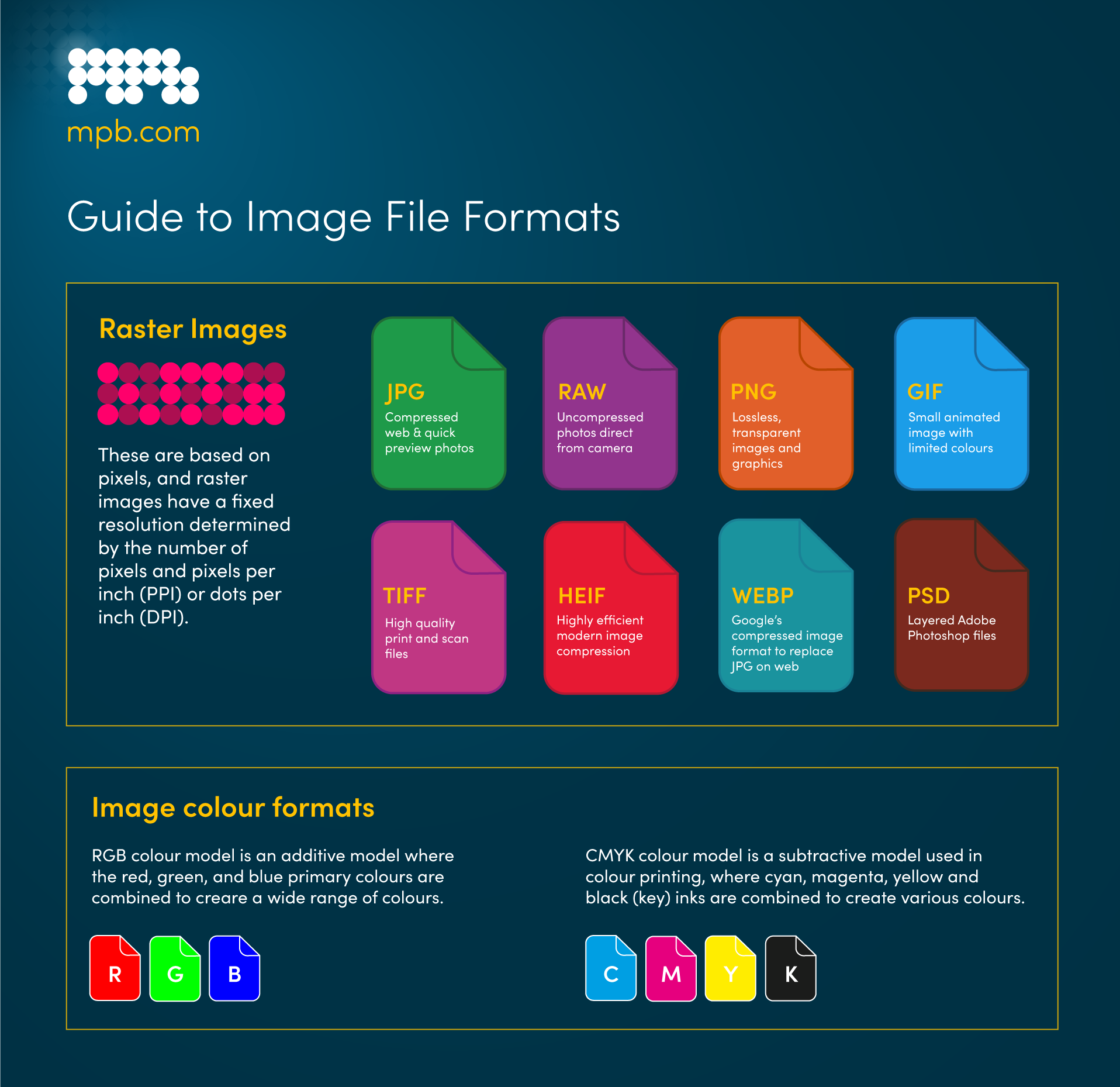
Another breakthrough is the development of high-efficiency formats like HEIF. It offers better compression than JPEG. As devices become more advanced, HEIF might become a standard, offering richer images with less data.
Trends In Digital Media
Digital media is rapidly changing. Social media platforms prioritize engaging visuals. This is pushing the demand for formats that support dynamic content. GIFs and animated PNGs are gaining popularity.
Interactive and 3D images are also on the rise. These formats allow users to engage with content in innovative ways. As you scroll through your feed, imagine interacting with images that respond to your touch or movement.
Reflect on how these changes affect your daily digital consumption. How often do you encounter a format that surprises you? As a creator or consumer, staying informed about these trends can enhance your digital experience.
What do you think the future holds for image formats? Will JPEG and PNG maintain their dominance, or will new formats take the lead? The landscape is shifting, and it’s an exciting time for digital media enthusiasts.

Credit: www.techsmith.com
Frequently Asked Questions
What Is The Difference Between Png And Jpeg Files?
PNG files support transparency and lossless compression, ideal for graphics. JPEG files offer lossy compression, suitable for photos. PNGs maintain quality, while JPEGs reduce file size. Choose PNG for detailed images and JPEG for faster loading. Both formats are widely used, with distinct advantages based on content type.
Is It Better To Save A Png Or Jpeg?
Choose PNG for high-quality images with transparency or text. Use JPEG for smaller file sizes and photographs.
What Do Png Files Offer That Jpg Files Do Not?
PNG files offer lossless compression and support transparency. They maintain image quality without data loss and are ideal for graphics. PNGs are perfect for images with text, logos, or simple colors. They handle detailed images better and allow for transparent backgrounds, unlike JPG files.
How Do I Know If A Photo Is Png Or Jpg?
Check the file extension; PNG images end with. png, while JPG images end with. jpg or. jpeg. Additionally, right-click the photo and select properties to see detailed file information. This reveals the image format under “Type of file. ” Both methods help identify the photo format accurately.
Conclusion
JPEG and PNG both serve unique purposes in digital media. JPEG excels in compressing images, saving space. It’s ideal for photos where quality can be slightly sacrificed. PNG, however, preserves detail with lossless compression. Perfect for graphics with transparent backgrounds.
Choose JPEG for web images needing smaller sizes. Opt for PNG for high-quality, detailed visuals. Understanding their differences helps in selecting the right format. This can enhance your project’s efficiency. Always consider the image’s purpose. Your choice impacts quality and performance.
So, next time, pick wisely based on your needs.