Imagine visiting a website that confuses you at every click. You can’t find what you’re looking for, and you leave frustrated.
That’s what happens when user experience (UX) is neglected. But what if you could transform your website into a place where visitors feel at ease and find exactly what they need? You have the power to create an engaging, intuitive space online.
We’re diving into the basics of UX, helping you understand the essential elements that make your users’ experience seamless and satisfying. Whether you’re a business owner, a designer, or just curious about how websites tick, these insights will help you enhance your digital presence. Ready to make your users happy and your site successful? Let’s explore the fundamental concepts of UX together.
Principles Of User-centered Design
User-centered design is a key principle in creating effective digital products. It focuses on the user’s needs and behaviors. Understanding these principles helps improve the user experience. This approach makes sure that the product meets user expectations. It involves empathy, research, and testing.
Empathy In Design
Empathy involves understanding the user’s feelings. Designers put themselves in the user’s shoes. This helps identify what users truly need. Empathy leads to more intuitive design solutions.
Comprehensive User Research
User research gathers information about user behaviors. Surveys, interviews, and observations are common methods. This data guides design decisions. It ensures the product aligns with user expectations.
Iterative Testing And Feedback
Testing is crucial in user-centered design. It involves trying different design versions. Feedback from real users is collected. This helps refine the product. Iterative testing leads to continuous improvement.
Accessibility And Inclusivity
Accessibility ensures everyone can use the product. Inclusive design considers diverse user needs. It addresses disabilities and different cultural backgrounds. This principle broadens the user base.
Visual Clarity And Simplicity
Visual clarity enhances user experience. Clear and simple designs are easy to navigate. It reduces confusion and frustration. Users find information quickly and easily.
Consistency Across Platforms
Consistency creates familiarity for users. Branding and interface elements remain uniform. This applies to websites, apps, and other platforms. Users feel comfortable navigating the product.
User Feedback Integration
Feedback integration involves listening to users. It shows users that their opinions matter. Changes are made based on feedback. This improves user satisfaction and loyalty.

Credit: www.linkedin.com
Understanding User Needs
User Experience (UX) design revolves around understanding user needs. Grasping what users want, feel, and think is essential. It forms the foundation for creating meaningful digital experiences. Knowing user needs helps tailor solutions that resonate with your audience. It enhances satisfaction and engagement. Let’s explore the core aspects of understanding user needs in UX design.
Identifying User Personas
Creating user personas is crucial. It involves identifying different user types. Personas represent your audience’s needs and behaviors. They aid in understanding user motivations and challenges. Personas guide design decisions, ensuring relevance and effectiveness.
Conducting User Research
User research gathers insights into user behaviors. It includes interviews, surveys, and observations. Research reveals pain points and preferences. Insights help designers create user-centered solutions. Effective research is key to meeting user expectations.
Analyzing User Feedback
Feedback analysis helps refine UX strategies. Users provide valuable insights through comments and reviews. Analyzing feedback uncovers common issues and suggestions. It informs improvements and fosters user satisfaction. Listening to users is vital for successful UX design.
Mapping User Journeys
User journey maps illustrate user interactions with products. They highlight key touchpoints and experiences. Mapping helps identify areas for enhancement. It ensures a seamless and intuitive user experience. User journey mapping is essential for optimizing user flows.
Testing Prototypes And Iterating Designs
Prototypes allow testing and gathering user feedback. Testing uncovers usability issues and areas for improvement. Iteration involves refining designs based on feedback. It ensures solutions align with user needs and expectations. Continuous testing and iteration enhance UX quality.
Designing For Accessibility
Designing for accessibility is a fundamental aspect of User Experience (UX) that ensures everyone, regardless of ability, can interact with your website or application. It’s not just about reaching a wider audience; it’s about inclusivity and providing equal access to information and services. When you prioritize accessibility, you create a welcoming environment for users with disabilities, ultimately enhancing your brand’s reputation and fostering loyalty.
HTML Syntax:Understanding Accessibility Standards
Accessibility standards, like the Web Content Accessibility Guidelines (WCAG), provide a roadmap for creating user-friendly designs. These guidelines help you make informed decisions about colors, fonts, and layout. Meeting these standards isn’t just a legal obligation; it’s a moral commitment to inclusivity.
Consider how your website’s color contrast might affect someone with a visual impairment. Choose combinations that are easy to distinguish. Implementing alt text for images ensures screen readers can convey visual information to visually impaired users.
HTML Syntax:Practical Steps for Designing Accessible Interfaces
Start by simplifying navigation. Your users should find information effortlessly, without complex paths or overwhelming options. A clear layout benefits everyone, especially users with cognitive disabilities.
Label buttons and links descriptively. Instead of ‘click here,’ specify what action the user is taking. This clarity helps users with screen readers understand the context of each element.
Test your design. Use tools like screen readers and keyboard navigation to evaluate accessibility. Encourage feedback from users with disabilities. Their insights can be invaluable in identifying barriers and improving your design.
HTML Syntax:Ensuring Your Content is Accessible
Write clear and concise content. Break up text with headings, lists, and tables to make it digestible. Avoid jargon that may confuse users with cognitive disabilities.
Use captions and transcripts for videos. This not only helps those who are deaf or hard of hearing but also benefits users in noisy environments. Accessible content broadens your audience reach.
Think about the last time you struggled to read a webpage in bright sunlight. Accessible design helps avoid such frustration. It ensures everyone can access content without barriers.
HTML Syntax:The Impact of Accessible Design on User Engagement
Accessible design improves user engagement by making your website or app more intuitive. Users are likely to stay longer and explore more when they can navigate effortlessly.
Have you ever left a site because it was too hard to use? Accessible design reduces bounce rates and encourages users to return. It shows you care about their experience.
Are you ready to enhance your site’s accessibility? Start with small changes, like improving color contrast and adding alt text. These adjustments can transform user experience significantly.
Enhancing Usability
Enhancing usability is crucial for creating a seamless user experience. It involves making digital products easy to use and understand. A user-friendly interface keeps visitors engaged and satisfied. This can lead to higher conversion rates and customer loyalty.
Intuitive Navigation
Intuitive navigation helps users find information quickly. It uses simple menus and clear labels. A well-organized structure guides users through the content. Make sure your navigation is consistent across all pages. This ensures users don’t get lost or confused.
Consistent Interface Design
Consistency in design builds trust and familiarity. Use the same colors, fonts, and buttons throughout. This creates a seamless experience for users. They know what to expect on each page. Consistency reduces the learning curve and increases satisfaction.
Importance Of Visual Hierarchy
Visual hierarchy is crucial in creating effective user experiences. Imagine visiting a website with a jumble of text and images, leaving you confused about where to click or what to read first. This is where visual hierarchy steps in, guiding your eyes and helping you understand the information effortlessly. It’s not just about making things look pretty; it’s about enhancing usability and ensuring users find what they need quickly and efficiently.
Understanding The Basics Of Visual Hierarchy
Visual hierarchy is the arrangement of elements on a page to indicate their importance. Think of it as a map that directs users’ attention. By using size, color, contrast, and position, you can make certain elements stand out. It’s about leading users through content smoothly, helping them focus on what’s essential.
Why Size Matters In Visual Hierarchy
Size is one of the simplest ways to establish hierarchy. Larger elements naturally draw attention. If you’ve ever seen a headline that’s bigger than the body text, you’ve experienced this. Bigger elements are perceived as more important, guiding users to start there.
The Role Of Color And Contrast
Colors can evoke emotions and highlight key areas. High contrast between background and text ensures readability. Have you ever clicked on a vibrant button on a dull page? It’s because your eyes are drawn to colors that pop. Use color strategically to emphasize calls to action or important information.
Position: Top And Center
People naturally start viewing content from the top left corner. Placing important elements in this area can enhance visibility. Have you noticed how navigation menus are often at the top? It’s deliberate, making them easy to find and use.
Personal Experience: The Power Of Visual Hierarchy
Once, I worked on a project where users struggled to find key information buried in paragraphs. By adjusting the visual hierarchy—making headings larger, adding contrasting colors to important links—we saw increased engagement. It was a reminder of how small changes can make a big difference.
Actionable Tips For Implementing Visual Hierarchy
- Start with a clear goal: What do you want users to notice first?
- Use headings wisely: Make them larger and more prominent than regular text.
- Choose colors that highlight key areas and maintain readability.
- Test different layouts: Ensure important elements are easily accessible.
Visual hierarchy is not just a design principle; it’s a tool for creating better user experiences. How will you use it to enhance your website or app today?
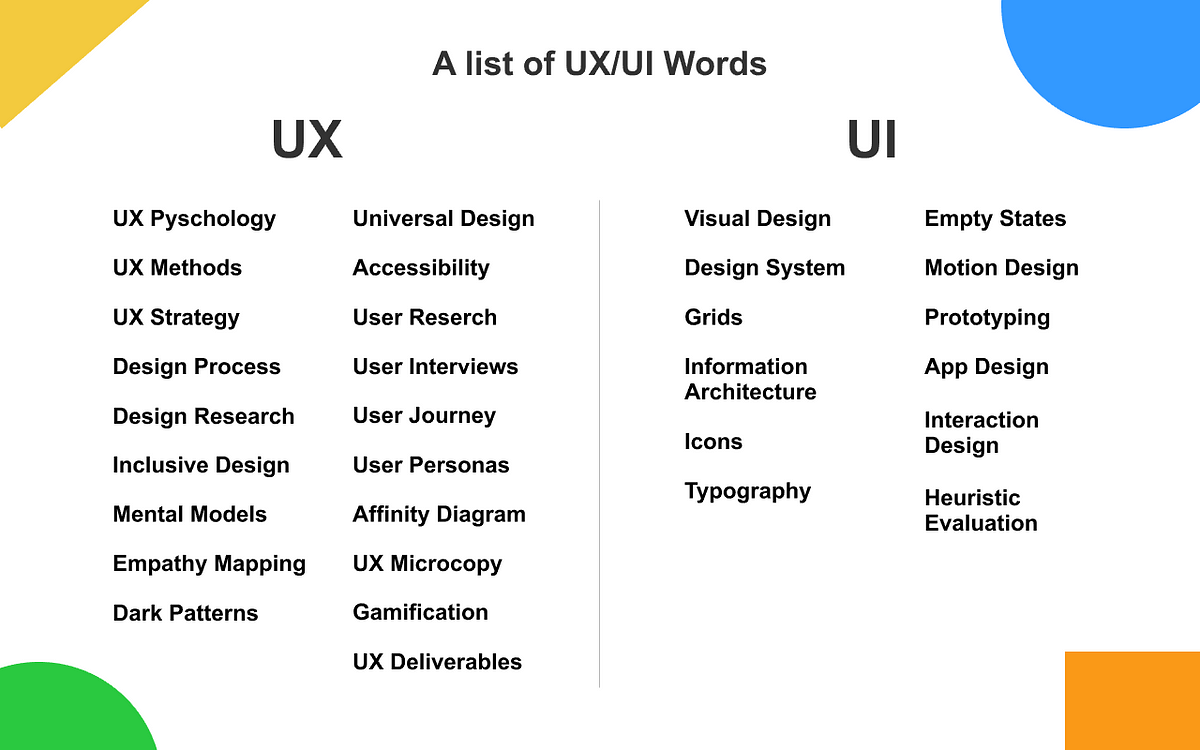
Credit: uxdesign.cc
Effective Use Of Typography
Typography is a vital part of user experience design. It shapes how users read and interact with content. Effective typography improves readability and guides the user’s attention. Choosing the right fonts and sizes can make a big difference.
A well-thought-out typography strategy can make content more engaging. It ensures users find what they need quickly. Let’s explore the basics of effective typography use.
Understanding Font Types And Their Impact
Fonts come in many styles and shapes. Each font type has its own personality. Serif fonts have small lines at the end of letters. They are great for printed works. Sans-serif fonts are clean and modern. They are easy to read on screens. Choose a font that fits your brand and message. The right font type can enhance user experience.
Choosing The Right Font Size
Font size affects readability. It should be big enough to read easily. Too small, and users will struggle. Too large, and content may look cluttered. A good size for body text is 16 pixels. Headings should be larger to stand out. Test different sizes to find what works best for your audience.
Importance Of Line Spacing
Line spacing, or leading, is the space between lines of text. Proper spacing improves readability. Too tight, and text looks cramped. Too loose, and it feels disconnected. A good rule is to use 1.5 times the font size. This creates a balanced and readable text block.
Using Contrast For Better Visibility
Contrast between text and background is crucial. It ensures text is easy to read. High contrast, like black on white, is ideal. Low contrast strains the eyes and frustrates users. Use tools to check contrast ratios. Aim for a ratio of 4.5:1 for body text. This ensures accessibility for all users.
Consistency In Typography
Consistency in typography builds trust. It creates a uniform look across your site. Use the same fonts and sizes for similar elements. This includes headings, body text, and buttons. Consistent typography helps users navigate with ease.
Role Of Feedback And Interaction
Feedback and interaction are crucial in User Experience (UX) design. They help users feel connected and understood, enhancing satisfaction. Designers can improve interfaces by observing how users react and refining based on feedback. Engaging users through interactive elements fosters a seamless and intuitive experience.
User experience (UX) is at the heart of how we interact with digital products. The role of feedback and interaction is vital in shaping these experiences. Imagine navigating a website that responds to your actions seamlessly, offering helpful prompts and acknowledging your input. This is the magic of effective feedback and interaction in UX design. It’s not just about making things look pretty; it’s about creating an intuitive environment where users feel understood and valued. How can feedback and interaction transform your digital experience? Let’s dive in. ###Immediate Feedback: Why It Matters
Immediate feedback is crucial. When you click a button or submit a form, you expect a response. This acknowledgment reassures you that the system is working. Without it, you might feel confused or frustrated. Consider an online shopping site. If the “Add to Cart” button doesn’t respond instantly, you might wonder if your action was successful. Immediate feedback through a pop-up or change in button color can eliminate this uncertainty. ###Interactive Elements: Keeping Users Engaged
Interactive elements keep users engaged. They invite users to participate actively rather than passively consume content. Think of quizzes, sliders, or drag-and-drop features. Such elements make the experience memorable and encourage users to spend more time on your site. Interactive features should be intuitive and enhance the user journey, not complicate it. ###Feedback Loops: Building Trust
Feedback loops build trust. They show users their actions matter and are not lost in the digital void. When a user completes a survey, a confirmation message or thank-you note reinforces their contribution. These loops also offer opportunities for improvement. By analyzing feedback, you can refine your product to better meet user needs. Users appreciate when their input leads to positive changes. ###Personal Experience: The Power Of Interaction
I once visited a website that asked for feedback after each interaction. Initially, I was skeptical. But as I saw my suggestions implemented, I felt more connected to the brand. This approach turned me from a casual visitor into a loyal user. This story highlights the power of effective interaction. When users see that their feedback has a direct impact, they are more likely to engage deeply and consistently with your product. ###Thought-provoking Question: What’s Next For Ux?
How can you make your digital product more interactive and responsive to user feedback? Consider the tools and strategies that can enhance user satisfaction. Are there areas where feedback could be improved or interaction made more engaging? Reflect on your current UX design and identify opportunities for growth. Your users are your best resource; listen to them and watch your product thrive.Emotional Design Elements
Design elements stir emotions and enhance user experience basics. Colors, shapes, and typography evoke feelings, guiding users effortlessly. Crafting emotional connections through design fosters engagement and satisfaction.
In the digital age, user experience (UX) is more than just functionality. It’s about creating an emotional connection with users. Emotional design elements play a crucial role in this aspect. They help in building a bond between the user and the product, making interactions memorable and engaging. By tapping into emotions, you can make your digital product not only usable but also lovable. Let’s dive into the essence of emotional design elements and how they can enhance your UX strategy. ###Understanding Emotional Design
Emotional design is about shaping the feelings users have while interacting with your product. It’s not just about aesthetics; it’s about crafting an experience that resonates deeply. Think about the apps you love using daily. They likely make you feel happy, understood, or even empowered. That’s emotional design at work. Ask yourself: What emotion do you want your product to evoke? This is the starting point of effective emotional design. ###Color Psychology
Colors evoke emotions and can influence user behavior significantly. Using the right colors can set the mood and tone for your product. For instance, red often signifies urgency, which is why it’s used in clearance sales and notifications. Blue, on the other hand, is calming and often associated with trust, making it popular among banks and healthcare apps. Evaluate the emotions you want your product to convey and choose colors that align with those feelings. ###Typography And Emotion
Fonts do more than convey text—they set the emotional tone. A playful font can make your product feel fun, while a serif font can give it a more serious tone. Consider the difference between Comic Sans and Times New Roman. Each evokes a different feeling and can change how users perceive your content. Are your fonts enhancing the emotional message you want to send? If not, it might be time for a change. ###Microinteractions And Delight
Microinteractions are subtle moments where the user and the product interact. Think of a like button that gives a satisfying animation when clicked. These small details can add delight and make your product feel more intuitive and human. They show that you care about the user’s experience beyond the basics. Are there opportunities in your product to surprise and delight users with microinteractions? ###Personalization And Empathy
Personalization makes users feel valued and understood. When a product remembers user preferences or offers tailored content, it builds empathy and trust. Imagine a music app that suggests playlists based on your listening habits. It feels like a friend who knows your tastes. How can you make your users feel special by adding personalized touches to their experience? By focusing on these emotional design elements, you can create a more compelling and engaging user experience. Remember, the goal is not just to meet user needs but to make them feel understood and valued. How will you integrate emotional design into your next project?Prototyping And Testing
Prototyping and testing are crucial in user experience design. They help refine ideas into effective solutions. Through these steps, designers can see what works and what doesn’t. This process saves time and resources in the long run. It ensures that the final product meets user needs and expectations.
Iterative Design Process
The iterative design process involves creating and refining prototypes. Start with simple sketches or wireframes. Then, gather feedback and make necessary changes. Repeat this cycle several times. Each iteration brings the design closer to perfection. This method allows for flexibility and improvement. It adapts to user feedback and changing requirements.
User Testing Techniques
Different user testing techniques provide valuable insights. Usability testing involves observing users as they interact with a prototype. Note their actions and reactions. This reveals usability issues and areas for improvement. Surveys and interviews gather direct feedback from users. They offer qualitative insights into user experiences and preferences.
A/B testing compares two versions of a design. It identifies which performs better with users. This helps make data-driven decisions. Each technique has its strengths. Choose based on the project’s needs and goals.
Integrating User Feedback
User feedback helps shape better user experiences by highlighting real-world needs and challenges. Listening to users reveals insights that guide design improvements and enhance satisfaction. Simple changes based on feedback can make interfaces more intuitive and user-friendly.
Integrating user feedback is a cornerstone of exceptional user experience (UX) design. It’s the bridge between understanding your users and crafting solutions that truly meet their needs. Listening to your audience and acting on their input can transform your product from good to great. But how exactly can you effectively integrate user feedback into your design process? Let’s break it down.Understanding The Importance Of User Feedback
User feedback is more than just data; it’s a direct line to your users’ thoughts and experiences. Imagine launching a new feature only to find users struggling with it. How do you improve it? User feedback provides insights into what works and what doesn’t. It helps you see your product through the eyes of those who use it daily.Methods For Collecting Feedback
How do you gather this valuable information? There are several methods, each with its strengths. Surveys are great for quantitative data, while interviews offer in-depth insights. You might also use usability tests to observe users interacting with your product. Each method has its place, and the key is to choose the right one for your goals.Analyzing And Prioritizing Feedback
Not all feedback is created equal. Some comments will highlight minor issues, while others will reveal critical flaws. How do you decide which to address first? Prioritize based on impact. Feedback that affects user satisfaction and product functionality should be at the top of your list. Create a system to categorize and rank feedback, ensuring you focus on what truly matters.Implementing Changes Based On Feedback
Once you’ve prioritized, it’s time to act. Implementing changes requires clear communication and collaboration within your team. Ensure everyone understands the feedback and the reasons behind the changes. Set timelines for updates, and monitor the impact post-implementation. Did the change solve the problem? Continuous evaluation is crucial.Feedback Loop: Keeping The Conversation Alive
Feedback integration doesn’t end with implementation. It’s an ongoing process. Keep the lines of communication open with your users. Encourage them to share their thoughts regularly. Consider creating a community forum or feedback portal where users can easily express opinions. This continuous loop helps you stay agile and responsive to user needs.Personal Experience: Learning From Feedback
I once worked on a project where we introduced a new feature, expecting it to be a hit. But users struggled, and feedback poured in. Initially, it was overwhelming. But dissecting the feedback, we realized the issue was usability. We made adjustments, and the user satisfaction soared. This experience taught me the vital role of feedback in UX design.Ask Yourself: Are You Really Listening?
Integrating user feedback isn’t just about collecting data. It’s about genuinely listening and responding. Are you open to criticism? Are you willing to make changes based on what you learn? Reflect on your approach to feedback. Embrace it, and watch your UX design evolve and improve. User feedback is the compass that guides you toward creating a product users love. How will you use it to shape your next project?Future Trends In Ux Design
The world of User Experience (UX) design is ever-evolving. Designers continually seek innovative ways to improve user interaction. Future trends in UX design promise exciting changes. These trends focus on enhancing user satisfaction and engagement.
Artificial Intelligence In Ux
Artificial Intelligence (AI) is reshaping UX design. AI can predict user behavior. This helps designers create personalized experiences. Machine learning algorithms enhance user interfaces. They make navigation smoother and more intuitive.
Voice User Interface (vui)
Voice User Interfaces are becoming more popular. Users enjoy hands-free interaction. VUI offers a natural way to communicate with devices. This trend focuses on improving speech recognition accuracy. It aims to create a seamless voice-driven experience.
Augmented Reality (ar) Integration
Augmented Reality is influencing UX design. AR overlays digital content onto the real world. It offers immersive experiences. Designers use AR to enrich user interaction. Retail and gaming industries benefit greatly from this trend.
Minimalistic Design Approach
Minimalistic design is gaining traction. It emphasizes simplicity and clarity. Users appreciate clean layouts and easy navigation. This trend reduces cognitive load. It aims to improve user focus and retention.
Responsive And Adaptive Design
Responsive design remains crucial. It ensures websites work well on any device. Adaptive design offers tailored experiences. It adjusts to user preferences and contexts. Both approaches enhance user satisfaction.
Biometric Authentication
Biometric authentication is becoming standard. Fingerprints and facial recognition secure user data. It offers convenience and safety. This trend boosts user trust and confidence. It reduces reliance on traditional passwords.
Credit: dadofad.com
Frequently Asked Questions
What Are The Basics Of User Experience Ux Design?
User experience (UX) design focuses on enhancing user satisfaction through intuitive, efficient, and accessible digital interfaces. Key elements include user research, wireframing, prototyping, usability testing, and visual design. UX designers aim to understand user needs, improve functionality, and create enjoyable interactions.
Effective UX design boosts engagement and conversion rates.
What Are The 7 Principles Of User Experience?
The 7 principles of user experience are: usability, desirability, accessibility, credibility, findability, usefulness, and value. These principles ensure a seamless, engaging, and effective interaction between users and digital products, enhancing satisfaction and overall experience. Prioritizing these principles can significantly improve user engagement and retention.
What Are The 5 Elements Of User Experience?
The five elements of user experience are strategy, scope, structure, skeleton, and surface. Strategy defines goals, scope outlines requirements, structure organizes content, skeleton designs interface, and surface focuses on aesthetics. These elements help create a seamless, engaging, and intuitive user experience.
What Are The 4 C’s Of Ux?
The 4 C’s of UX are Context, Content, Community, and Commerce. Context involves user understanding and environment. Content focuses on information quality and relevance. Community emphasizes user interaction and engagement. Commerce deals with transaction processes and user purchase experience.
Conclusion
Understanding UX basics is crucial for creating user-friendly designs. Focus on simplicity and clarity. Users should find navigation intuitive and seamless. Testing and feedback can guide improvements. Always prioritize the user’s perspective. Consistent updates ensure relevance and functionality. Remember, a happy user means a successful product.
Investing in UX enhances user satisfaction. This leads to better engagement and loyalty. Keep learning and adapting your approach. The digital world evolves quickly. Stay ahead by keeping the user’s needs first. This foundation can greatly improve your digital offerings.