Imagine you’re holding a vibrant magazine in your hands. The colors leap off the page, drawing your eyes to every corner of its design.
Ever wondered how those stunning visuals come to life? It all boils down to the CMYK color model. This crucial system is used in the printing world to create the vivid hues that captivate your attention. Understanding CMYK can transform how you perceive printed materials, making you appreciate the art of color creation.
Dive into this article, and you’ll uncover the secrets behind those mesmerizing shades, ensuring you never look at printed colors the same way again.
Cmyk Basics
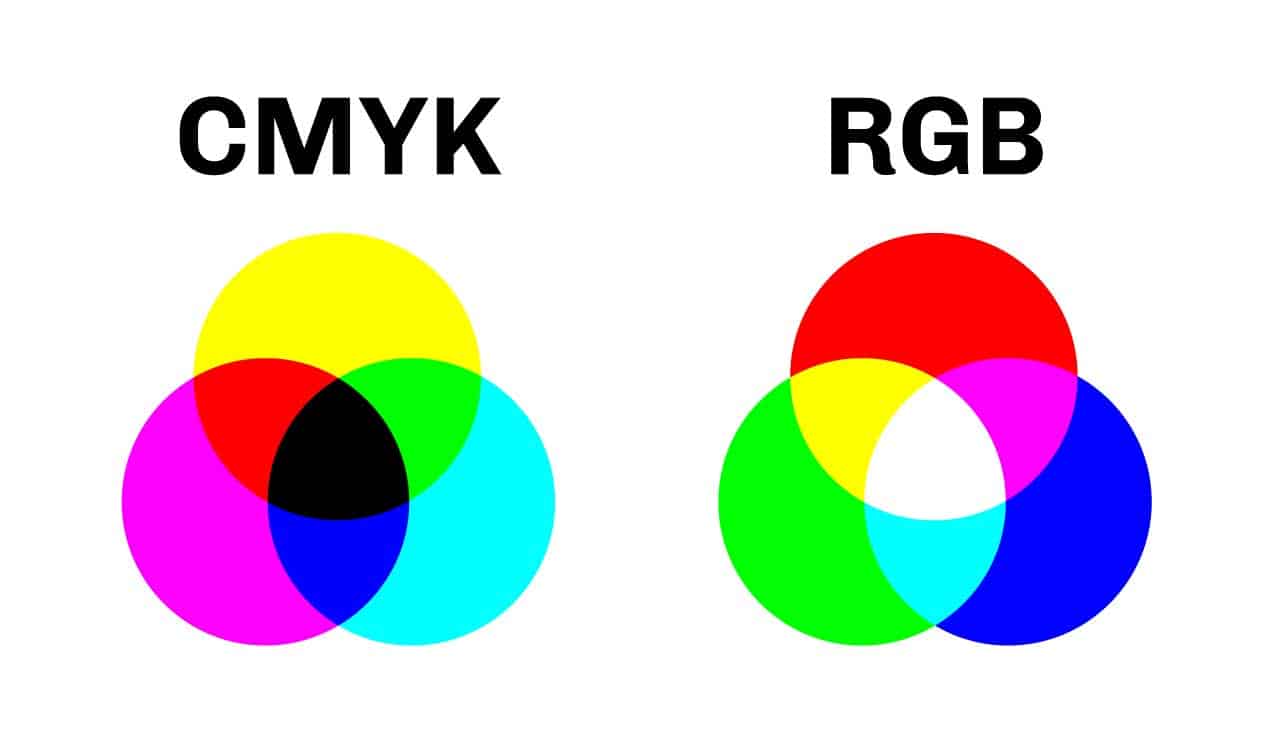
The CMYK color model stands for Cyan, Magenta, Yellow, and Key (Black). It is used in printing and design. The model is subtractive. It means colors are created by subtracting light. Cyan, magenta, and yellow inks are mixed to create colors. Black is added for depth and detail. This model is different from the RGB model, which is used for screens.
Each ink in CMYK absorbs certain light. Cyan absorbs red, magenta absorbs green, and yellow absorbs blue. By mixing inks, you create different colors. For example, cyan and magenta make blue. Yellow and magenta make red. Using all four inks creates deep, rich colors. Printers use this model for color accuracy.
Credit: plumgroveinc.com
Advantages Of Cmyk In Printing
The CMYK color model is best for printing. It uses four colors: cyan, magenta, yellow, and black. These colors mix to make many others. This helps in creating vivid images. Printers use CMYK to ensure colors look right. It is cost-effective. Using just four inks saves money. Also, CMYK gives a smooth finish. This makes pictures look real. Details are sharp and clear. This model is a favorite for magazines and brochures. It keeps photos looking bright and true to life.
Consistency is another perk. Colors stay the same on every print. This is important for branding. Brands want their colors to be consistent. CMYK helps achieve this goal. It ensures that every print looks similar. So, businesses trust CMYK for their printing needs.
Cmyk Vs Rgb: Key Differences
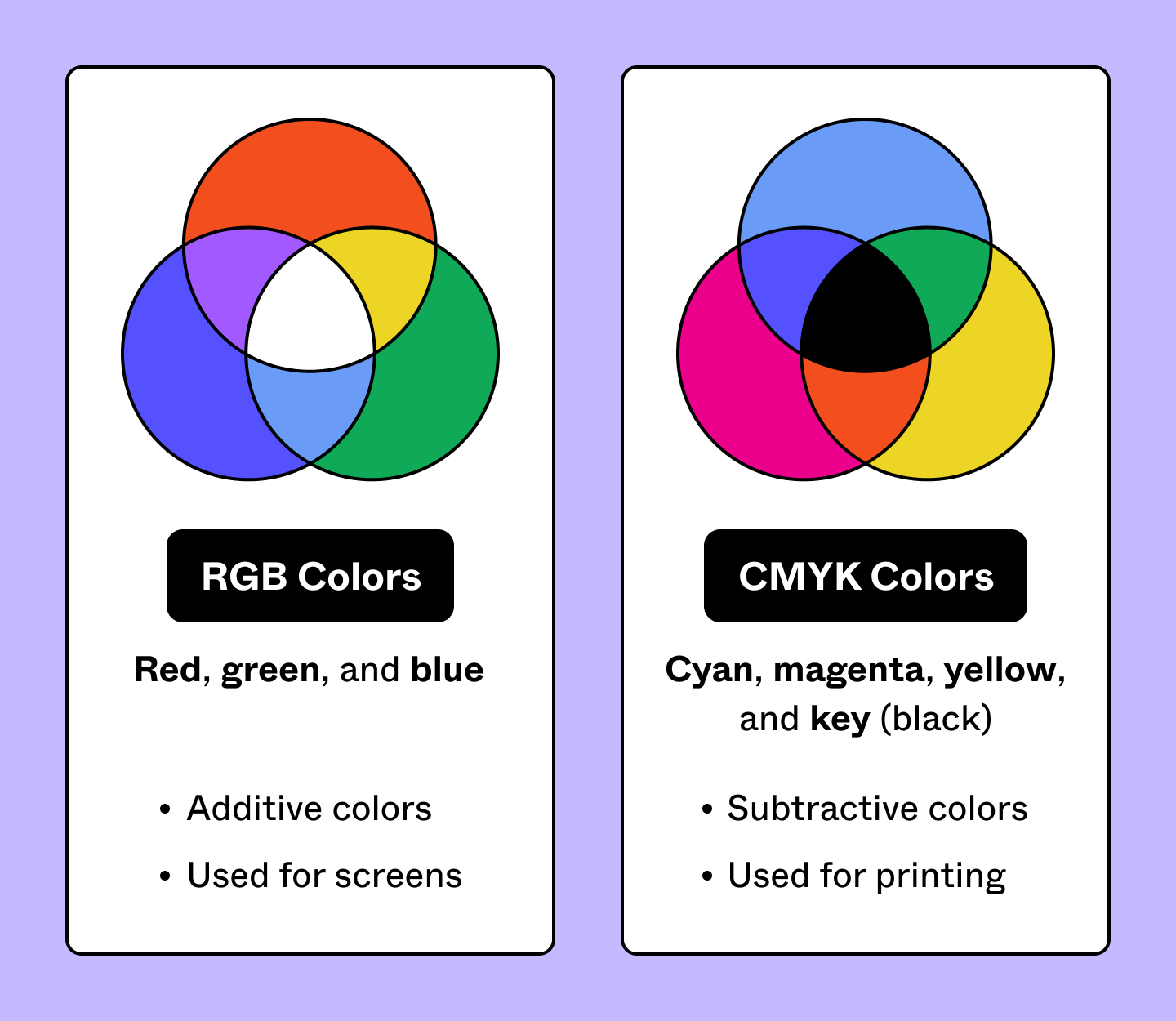
CMYK stands for Cyan, Magenta, Yellow, and Key (Black). These colors are used in printing. It mixes colors to create different shades. CMYK starts with no color and adds ink.
RGB stands for Red, Green, and Blue. These colors are used in screens. RGB starts with black and adds light to make colors. It is used in computers and TVs.
CMYK is best for paper. RGB is best for digital displays. CMYK colors can be duller. RGB colors can be bright. Each model has its own use.
Credit: www.figma.com

Credit: en.wikipedia.org
Frequently Asked Questions
What Is The Difference Between Rgb And Cmyk Color Model?
RGB is for digital displays using red, green, and blue light. CMYK is for printing, using cyan, magenta, yellow, and black ink. RGB provides a wider color range, ideal for screens. CMYK offers precise color control for printed materials. Choose RGB for digital and CMYK for print projects.
What Is The Cmyk Color Code?
CMYK stands for Cyan, Magenta, Yellow, and Key (Black). It’s a color model used in printing. These four inks are combined in various proportions to create a wide range of colors in printed materials. This model is essential for achieving accurate color reproduction in print media.
Is It Better To Print In Cmyk Or Rgb?
CMYK is better for printing as it matches print color standards. RGB is ideal for digital screens, offering vibrant colors. Always convert RGB to CMYK for physical prints to avoid color discrepancies. Understanding these differences ensures accurate color representation in your projects.
How Do I Convert To Cmyk Color?
To convert RGB to CMYK, use software like Adobe Photoshop or Illustrator. Open your file, then choose “Convert to CMYK” under the color mode options. Ensure your document is set for print. Save the converted file in CMYK format to maintain color accuracy for printing.
Conclusion
The CMYK color model is essential for printing. It uses cyan, magenta, yellow, and black inks. These colors mix to create vibrant prints. Designers prefer CMYK for accurate color reproduction. Understanding it helps in achieving desired print results. It offers reliability for professional projects.
CMYK is different from RGB, which is used on screens. Choosing the right model is crucial for quality output. So, next time you print, consider CMYK for best results. It’s a fundamental tool in the design world. Easy to grasp and vital for print success.